THE DELIVORA PRODUCT
One connected operation, from intake to the final handover.
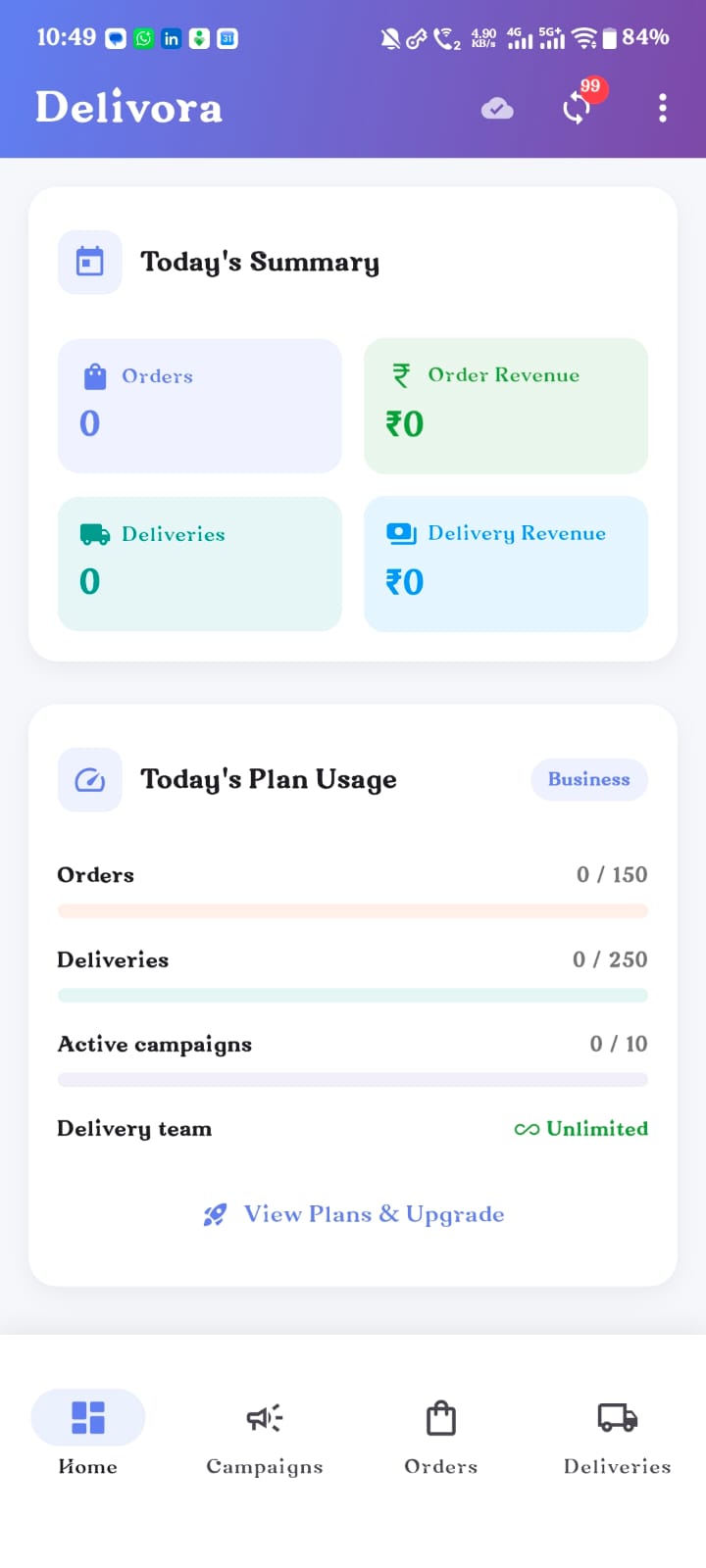
Delivora connects regular orders, campaigns, bulk intake, kitchen work, delivery bags, delivery people, collections and customer history — while staying practical for everyday food operations.
Request Early Access

ORDER AND WORK TYPES
Start with the record that matches the work.
A customer order, campaign order, imported order, delivery bag and linked delivery are not treated as the same record.
Regular customer order
Customer, items, preparation, delivery and payment stay linked.
Campaign or popup order
One campaign with separate customer quantities, delivery and payment details.
Bulk-imported order
Work reviewed and confirmed after assisted image, paper or Excel intake.
Configured catering order
Used where a configured catering workflow is supported.
Recurring tiffin work
Recurring order behaviour where supported or configured.
Delivery-only bag
Independent delivery work without a complete customer-order record.
Order-linked delivery
Delivery created from an order while retaining the customer and payment context.
ORDERS & BULK INTAKE
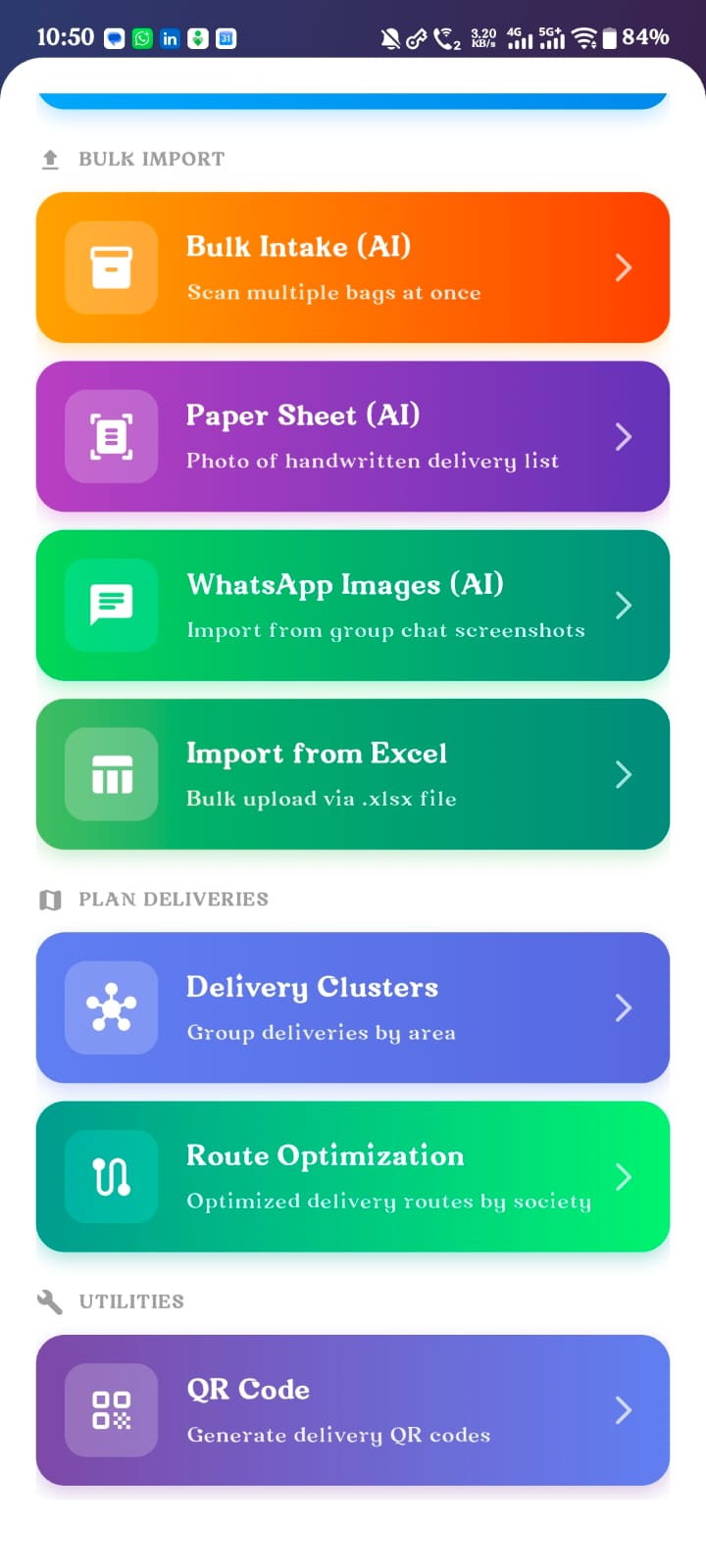
Capture one order or organise many together.
Create manually, scan one order, import WhatsApp images, read a paper sheet, upload Excel or enter work in bulk. AI/OCR assists extraction. The user reviews customer, item, quantity, price, payment and delivery details before confirmation.
Assisted intake · Human review · Confirmed work

CAMPAIGNS & POPUP OPERATIONS
Operate a weekend special customer by customer.
Create a campaign or popup sale, collect multiple customer orders and keep each customer separate. Maintain quantities, address, payment and delivery details. Resolve delivery handling per customer, track preparation across the campaign and retain customer history after it ends.
PREPARATION & PACKING
One kitchen flow for regular and campaign work.
Organise Unconfirmed, Waiting, Preparing, Ready, Packed and Dispatched work in one operational view. Keep customer and campaign context attached while the kitchen moves.
Unconfirmed → Waiting → Preparing → Ready → Packed → Dispatched

DELIVERY BAGS & ORDER-LINKED DELIVERIES
Use the delivery record that fits the work.
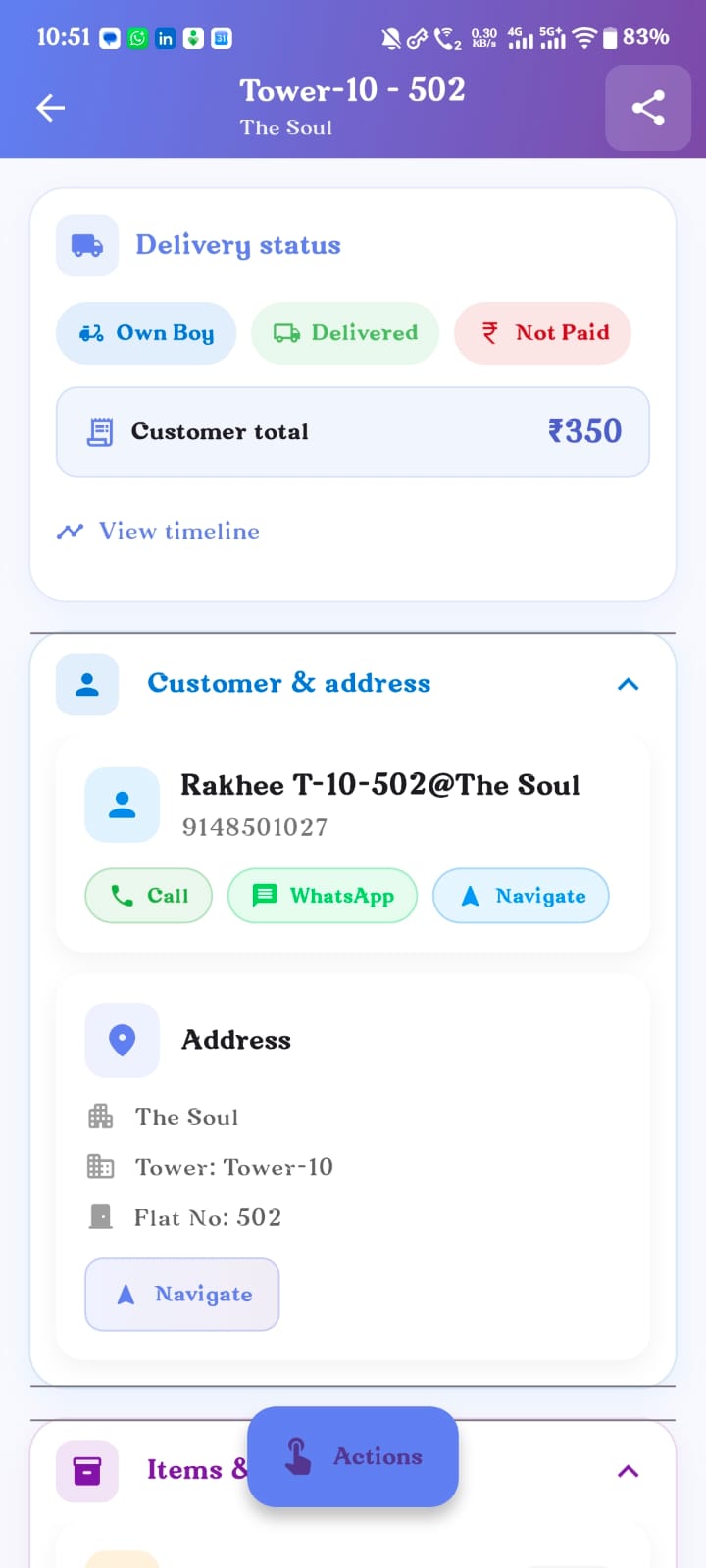
Track a delivery bag independently when needed, or create delivery from a linked order. Schedule work, see current status, open customer and address context, record proof and completion, and identify delivered-but-unpaid records.


SOCIETY GROUPING & ROUTE OPTIMISATION
Turn many society deliveries into a clear sequence.
Group deliveries by society, tower, area or supported cluster. Build an efficient sequence within the society, keep nearby addresses together and open navigation context when the delivery person needs it.
Route optimisation · Available where supported
DELIVERY-PERSON MANAGEMENT & LOGIN
A role-based workspace for the person on the route.
Maintain delivery-person records, assign work and give each person a clear list. Show address and customer details, delivery status, collection amount and payment proof without exposing unrelated business operations.
Assignment · Delivery list · Address · Status · Collection · Proof
COLLECTIONS, PAYOUTS & HANDOVER
Keep three kinds of money movement separate.
Customer collection, delivery-person payout and cash handed back to the business are different operational records. Delivora keeps the context clear instead of mixing them into one amount.
Customer collection
Paid, partial, COD, due and payment proof linked to the delivery or order.
Delivery-person payout
The amount owed to the delivery person for completed work.
Cash handover
Cash or remittance handed from the delivery person back to the business.
CUSTOMER LEDGER & PAYMENT HISTORY
See the order, payment and customer history together.
Track paid, partial payment, COD, balance due, refund due, payment timeline, previous customer orders and payment collected during delivery. This is operational visibility for daily work, not a full accounting or ERP system.
COMING SOON
Dedicated Customer Ledger
Customer-specific balance, connected order history and a simple running payment context are in active development.
ITEM & CUSTOMER MASTER DATA
Set it up once. Reuse it across the operation.
Items
Item name, unit or quantity type, default price, availability, search and selection. Reuse the same item information in orders and campaign work.
Customers
Customer information, phone, address, society, tower, flat, order history and payment context. Reuse the record across orders, campaigns and delivery.
SOCIETIES, ADDRESSES & OPERATIONAL SETTINGS
A shared foundation for orders, delivery and payment.
Societies & addresses
Society, tower, flat and reusable address context.
Delivery configuration
Delivery rates, grouping and supported route behaviour.
Payment & charges
Payment methods and customer charges used during daily work.
Taxes & billing profiles
Available only where supported or configured.
OFFLINE-FIRST BEHAVIOUR
Keep operational work available when the network is not.
Save work locally, continue during weak connectivity and sync safely later. Delivora helps avoid duplicate retry behaviour so teams can keep working through network problems.
Saved on this device
→
Syncs when connectivity returns
Ready to run the full operation in one connected app?
Delivora is being built for food businesses that need practical control over orders, campaigns, kitchen work, delivery people and collections.
Request Early Access